
Genspark AI Review 2026: Can One AI Workspace Really Replace Five Different Tools?


Genspark is most compelling for people who regularly combine research, documents, slides, spreadsheets and AI-assisted workflows in one workspace, but its value depends on output quality, source verification, credit usage and whether it truly replaces other tools in your own workflow.
BigExclusives Editorial | October 14, 2026
Affiliate disclosure: BigExclusives may receive a commission from qualifying purchases made through this link, at no additional cost to you. See our Affiliate Disclosure.
If you mainly need a conversational assistant rather than an all-in-one workspace, see our AI assistant comparison for a task-by-task perspective. The opening presentation scenario below is illustrative, not a documented customer case or a controlled five-tool test.
Quick Verdict
Best for: people who regularly combine research, documents, presentations, spreadsheets, and AI-assisted workflows and want fewer handoffs between separate tools.
Watch-outs: subscription cost, credit allowances, source verification, and output quality should be tested against your actual workload before paying for a higher plan.
Bottom line: Genspark is most valuable when its integrated workspace genuinely replaces repeated tool-switching in a real workflow.
How We Researched This Review
Research basis: Genspark’s official website, membership-plan information, AI Slides and AI Sheets documentation, and product announcements were reviewed to verify the capabilities and limits discussed in this article.
What we did not do: This review is not a controlled five-tool replacement benchmark and does not claim that every Genspark output is more accurate, faster or cheaper than specialist alternatives.
Editorial process: Prepared by BigExclusives Editorial under our Review Methodology and Editorial Policy, with vendor claims separated from practical recommendations and source-verification cautions.
The Night Five AI Tools Became One Big Problem
It was 11:38 PM.
A business presentation was due the following morning.
The research was unfinished. The spreadsheet contained confusing figures. Half the slides were empty, and the final report still needed to be written.
The computer screen looked like a small digital disaster.
One browser tab contained a chatbot.
Another was open to a search engine.
A third displayed a spreadsheet.
A fourth contained an unfinished presentation.
And somewhere among the remaining windows was a document that hadn’t been updated in hours.
Every tool was useful.
But none of them seemed to understand the entire assignment.
The frustrating part wasn’t necessarily doing the work.
It was constantly moving information between applications, repeating instructions, correcting formatting, and checking whether the final result made sense.
Now imagine a different approach.
Instead of opening five separate tools, you describe the entire project to one AI workspace.
You explain what information you need, what should be analyzed, which presentation to create, and how the final report should be structured.
The system begins coordinating those tasks.
That’s the experience Genspark is trying to deliver.
But behind the exciting demonstrations lies an important question.
Can an AI workspace really complete complex work reliably, or does it simply make the first draft look impressive?
Let’s examine what Genspark offers in 2026, where it could be useful, and what you should know before subscribing.
What Is Genspark AI?

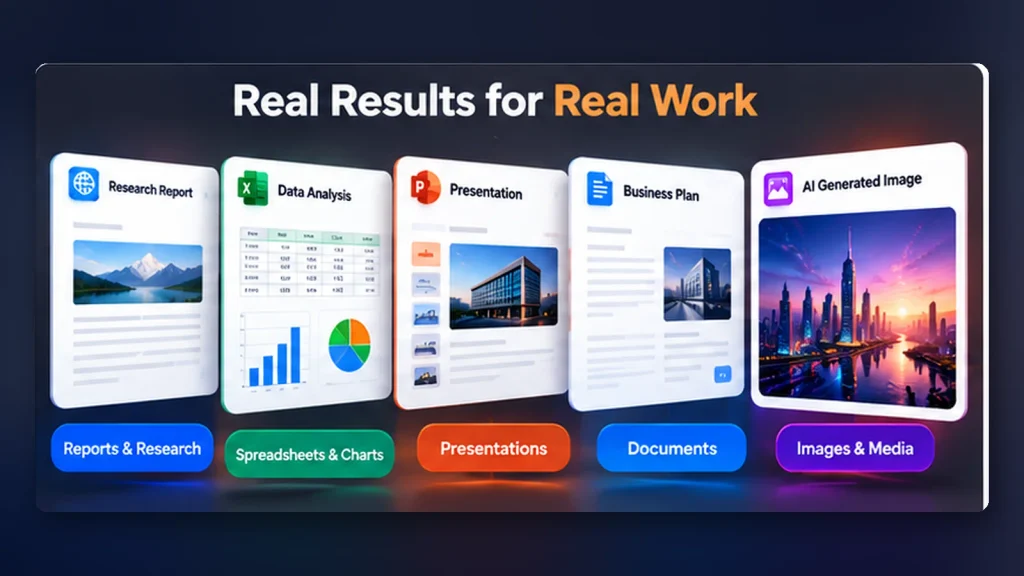
Genspark is an AI-powered productivity platform designed to help people complete tasks involving research, writing, data analysis, presentations, documents, images, coding, and automation.
Unlike a basic chatbot, which primarily responds to messages, Genspark provides specialized AI tools and agents that work together within a broader workspace.
Its platform includes several important components.
Genspark Super Agent: An AI assistant designed to plan and execute tasks involving multiple steps, tools, and information sources.
AI Slides: A presentation-building tool that helps create and edit slide decks from instructions and source materials.
AI Sheets: A spreadsheet assistant for organizing data, working with formulas, creating charts, and analyzing information.
AI Docs: A document-oriented workspace for drafting and refining written deliverables.
Creative tools: AI-assisted image, video, music, and design capabilities.
Genspark Code and Build tools: Features intended to assist with software projects and application creation.
SecondBrain: A context and memory layer intended to make relevant information available across connected workflows.
In July 2026, Genspark announced Workspace 6.0, bringing these capabilities into a more integrated platform.
The company’s stated direction is clear: move beyond answering questions toward producing useful work.
That ambition makes Genspark interesting.
Whether the individual outputs meet professional standards is a separate question.
What Makes Genspark Different From a Regular Chatbot?
Consider a simple request:
“Explain the global electric vehicle market.”
A conventional chatbot may produce a written overview.
An agent-based workspace may attempt to go further.
It could research relevant information, organize numerical data into a spreadsheet, prepare presentation slides, and draft a report.
Instead of thinking only about the answer, the system is designed to consider the steps required to complete an assignment.
That distinction is important.
An answer is information. A deliverable is something you can actually use.
However, an automatically produced deliverable still needs review.
A spreadsheet may contain incorrect formulas.
A presentation may include unsupported claims.
A polished report may overlook an important source.
The value of Genspark depends on how much useful work it produces after those issues are considered.
1. Genspark Super Agent: The Main Attraction
The Super Agent is one of Genspark’s defining features.
According to Genspark’s documentation, it can coordinate specialized tools and models to perform multi-step work.
For example, imagine asking:
“Research three competitors in the AI software market, summarize their products, create a comparison table, identify pricing differences, and prepare a presentation for a business meeting.”
Instead of treating the request as one writing assignment, an AI agent can attempt to divide it into related activities.
Research comes first.
Next comes organizing the collected information.
Then analysis.
Finally, presentation and reporting.
Why this matters
People rarely complete complex assignments in a single uninterrupted step.
Real projects involve collecting information, making decisions, producing documents, and revising them.
A system capable of coordinating those stages could reduce repetitive work.
What could go wrong?
A multi-step workflow introduces multiple opportunities for errors.
If the research contains incorrect information, the spreadsheet and presentation may repeat those mistakes.
The result can look comprehensive without being trustworthy.
For any business-critical workflow, verify the source material before accepting the final deliverable.
2. AI Slides: Could This Be Genspark’s Most Useful Feature?
Imagine being asked to prepare a professional presentation with very little preparation time.
You have a rough topic.
You have several documents.
You know your audience.
But you haven’t designed a single slide.
Genspark AI Slides is intended to help users move from those materials to an editable presentation.
Its official documentation describes support for uploading existing content, using templates or brand guidelines, requesting changes conversationally, and exporting presentations.
In September 2026, Genspark introduced Gen-1 Slides, a model specifically developed for presentation creation.
Genspark reported encouraging performance in its own testing. Those claims should not be interpreted as proof of superiority across every independent benchmark or real-world assignment.
A practical use case
Imagine a marketing consultant preparing a quarterly campaign report.
The consultant uploads approved campaign notes, verified performance figures, and brand guidelines.
They request:
“Create a ten-slide presentation for senior management. Start with an executive summary, explain campaign performance, show the strongest findings, and end with recommendations. Use only figures in the supplied documents, and flag any missing data.”
The AI can assist with structuring the deck and creating initial slides.
The consultant then reviews the output.
Does every chart use the correct values?
Do the slides match the company’s approved branding?
Are the recommendations supported by evidence?
The important advantage is not that manual work disappears.
It’s that the initial presentation can be developed through a more integrated workflow.
3. AI Sheets: Turning Data Into Useful Decisions
Spreadsheets are powerful, but they can also be intimidating.
A business owner may understand their sales figures without knowing how to build complex formulas or dashboards.
Genspark AI Sheets aims to make spreadsheet analysis more conversational.
Users can describe what they want to calculate, organize, or visualize.
The platform advertises capabilities involving data cleaning, spreadsheet generation, Excel-compatible formats, analysis, and charts.
Example: A small online business
Imagine a seller has six months of transaction records.
They want to identify their strongest products, average order values, and monthly revenue trends.
A useful instruction could be:
“Analyze this spreadsheet and calculate monthly revenue, total orders, average order value, and the five highest-revenue products. Create a chart showing monthly performance. Identify missing values and possible duplicates before calculating totals.”
This gives the AI a reasonably clear assignment.
But the business owner must still check the calculations.
If a spreadsheet contains duplicate transactions or inconsistent currencies, the results could be misleading.
AI-assisted spreadsheet analysis is valuable only when the underlying data and calculations are reliable.
4. AI Docs: From Rough Information to Finished Reports
Most professional writing begins long before the first polished paragraph appears.
There are meeting notes, supporting documents, preliminary research, and conflicting opinions.
Turning all that material into a clear report can be time-consuming.
Genspark AI Docs is designed to help users prepare and refine documents within its workspace.
Potential applications include business proposals, project summaries, reports, internal documentation, and structured research notes.
A useful workflow might begin with:
“Create a professional project proposal based on these approved notes. Include the objectives, scope, proposed deliverables, timeline, risks, and unanswered questions. Do not invent budgets or commitments.”
The final sentence is important.
AI assistants sometimes fill missing information with plausible assumptions.
For business documents, missing information should be clearly identified rather than presented as fact.
5. Research and Source Verification
Research can be one of the most time-consuming parts of professional work.
You may need to compare products, investigate competitors, understand a new industry, or prepare evidence for a decision.
Genspark provides research-oriented capabilities intended to collect, organize, and summarize information.
But there’s an important limitation.
A source citation is useful only when the source actually supports the claim.
For example, suppose an AI-generated report states that a company experienced 40% revenue growth.
That claim should be checked against the company’s published financial information or another credible primary source.
An attractive report containing a citation does not automatically make the figure correct.
If your work involves investment decisions, legal obligations, health information, or confidential business records, use additional verification and professional review.
6. The All-in-One Workspace Advantage
Genspark’s most interesting proposition may not be any one individual feature.
It may be the ability to move between different forms of work without rebuilding the entire context.
Consider a common business assignment.
First, research an industry.
Next, organize the findings in a spreadsheet.
Then turn the important figures into a presentation.
Finally, create a written summary for colleagues.
Normally, that process may require several applications.
An integrated AI workspace aims to support those activities within one connected environment.
Genspark also offers products such as GenMail, GenTeam, and SecondBrain, extending its approach into communication, collaboration, and contextual assistance.
However, these features require careful attention to permissions and information handling.
Connecting your documents, email, or business applications to any AI service should be a deliberate decision.
Review the provider’s privacy documentation, account settings, retention policies, and organizational requirements before granting access.
Genspark Pricing in 2026: Is It Expensive?
Pricing matters because an AI service that appears affordable initially can become expensive if your workflow requires substantial usage.
According to Genspark’s official membership documentation, as reported in October 2026, the individual plans were:
| Plan | Monthly billing | Annual billing |
|---|---|---|
| Free | $0 | Free |
| Plus | $24.99/month | $19.99/month equivalent |
| Pro | $249.99/month | $199.99/month equivalent |
With annual billing, Plus costs approximately $239.99 per year, while Pro costs approximately $2,399.99 per year.
These prices were reported from Genspark’s published membership information in October 2026 and could not be verified on November 1, 2026, because Genspark’s pricing page requires sign-in. Check the official membership page after signing in before purchasing, as prices may change.
What does the Free plan include?
The Free plan advertises 100 credits per day, limited model and agent access, and 1 GB of AI Drive storage.
But an important detail deserves attention.
The daily free-credit refill is subject to a lifetime allowance.
That means users should not assume that the same daily credit refill continues indefinitely.
What does Plus include?
Plus starts with 10,000 monthly credits and includes 50 GB of AI Drive storage.
It also provides a weekly Free Quota covering eligible Standard-mode work in selected tools.
Core chat and image model usage has separate allowances, while flagship models and certain tasks may consume credits.
What does Pro include?
Pro starts with 125,000 monthly credits, provides 1 TB of AI Drive storage, and offers higher usage allowances.
This plan is intended for heavier workflows, but its price makes it difficult to justify without consistent professional demand.
The hidden question: How many credits will your actual tasks consume?
Two users can have very different experiences on the same subscription.
One person may prepare a few presentations each month.
Another may create videos, run frequent multi-step agents, and repeatedly regenerate complex deliverables.
Their credit requirements may differ substantially.
Before upgrading, complete several realistic assignments and inspect your usage.
Explore Genspark and Check Available Plans →
The Disadvantages of Genspark: What Should You Know?
Every ambitious AI platform faces practical limitations.
Genspark is no exception.
1. All-in-One Doesn’t Always Mean Best-in-Class
A platform offering dozens of capabilities may be convenient.
But convenience doesn’t prove that every tool outperforms specialized alternatives.
A dedicated spreadsheet application may provide stronger control over advanced financial models.
A professional presentation designer may deliver better results for unusual visual requirements.
And a specialist development environment may be preferable for complex software projects.
Choose a tool based on your actual work, not merely the number of features advertised.
2. Credit Consumption Can Be Difficult to Predict
AI workflows differ in complexity.
Generating a short paragraph is not equivalent to producing a long presentation, creating media, or coordinating multiple agents.
Some tasks may use more credits than expected.
Review credit allowances and usage reporting before beginning large projects.
3. Output Accuracy Still Requires Human Review
Genspark may generate impressive documents, spreadsheets, and presentations.
But a convincing visual presentation can conceal mistakes.
Check calculations, citations, assumptions, and factual claims before sharing professional work.
4. Complex Tasks May Need Repeated Instructions
An AI agent can misunderstand the goal of a project.
It may produce something close to what you wanted without satisfying a critical requirement.
For example, a presentation might use the wrong structure.
A spreadsheet might interpret dates incorrectly.
A report could overlook an important exception.
Iteration remains part of the process.
5. Data Privacy and Connected Accounts Matter
A connected AI workspace can be useful because it accesses relevant context.
That same connectivity makes permission management important.
Do not upload confidential contracts, financial records, customer information, or private company documents without appropriate authorization.
6. Vendor Dependence Should Be Considered
If your entire workflow moves into one AI platform, changes to its pricing, features, model availability, or export capabilities could affect your operations.
Keep appropriate copies of important deliverables and understand the available export options.
Genspark vs ChatGPT: Which Should You Choose?
Genspark and ChatGPT overlap in several areas, but their working environments and product emphasis differ.
ChatGPT supports general conversation, reasoning, file analysis, research, creative work, and agent-based workflows.
Genspark places considerable emphasis on coordinating agents and producing structured deliverables through dedicated workspaces such as Slides, Sheets, and Docs.
The better choice depends on the assignment.
If you primarily need explanations, brainstorming, writing support, coding help, and conversational analysis, a general-purpose assistant may already meet your requirements.
If you regularly need to produce presentations, analyze spreadsheets, and coordinate several kinds of deliverables, Genspark may be worth evaluating.
Neither product should be considered universally superior without comparing the same tasks under similar conditions.
Who Should Consider Using Genspark?
Content Creators
Creators who repeatedly prepare research, visual content, presentations, and written material may benefit from an integrated production workspace.
They should still verify sources and ensure their published content provides genuine value.
Students and Researchers
Genspark may help organize learning materials, explore research topics, and develop presentations.
It should support independent thinking rather than substitute for understanding.
Freelancers and Consultants
People who create recurring client reports, proposals, spreadsheets, and presentations may find the workflow appealing.
Client information should only be used in accordance with confidentiality agreements and applicable policies.
Small Business Owners
Businesses may benefit from AI-assisted planning, reporting, marketing, and administrative workflows.
Financial or operational outputs require verification before being used for decisions.
Marketing Professionals
Genspark may be useful for preparing campaign ideas, content plans, research summaries, and presentation drafts.
The human responsibility for accuracy, compliance, and brand consistency remains.
A Practical Test: Can Genspark Complete One Real Assignment?
Rather than subscribing immediately, choose a task you genuinely need to complete.
For example, imagine you’re preparing a competitor analysis for an online business.
Use this sample instruction:
“Research five major companies offering AI-powered productivity software. Create a comparison of their core features, publicly listed pricing, target customers, and important limitations. Use official company sources wherever possible. Identify information that could not be verified. Prepare a comparison spreadsheet, an eight-slide executive presentation, and a one-page summary. Do not invent statistics, testimonials, or financial figures.”
Then inspect the results.
Are all five companies represented accurately?
Are the subscription prices correct?
Do the cited sources support the claims?
Are the slides easy to edit?
Can the spreadsheet calculations be verified?
How much time did the process actually save?
And how many credits did the assignment consume?
Those answers will tell you more about Genspark’s practical value than a polished promotional video.
Five Mistakes Beginners Should Avoid
Mistake 1: Giving the AI an unclear task.
Explain what you want to achieve, who the output is for, and how success should be measured.
Mistake 2: Trusting polished results automatically.
Check important information before sharing or publishing it.
Mistake 3: Ignoring credit consumption.
Monitor usage, especially when running complex workflows or regenerating media.
Mistake 4: Connecting sensitive accounts unnecessarily.
Start with sample data and review permissions carefully.
Mistake 5: Paying before identifying a clear benefit.
A subscription is worthwhile when it solves a real problem at a reasonable cost.
Frequently Asked Questions
Is Genspark AI free?
Genspark offers a free plan with limited model access, storage, and credits. Daily credit refills are subject to a lifetime allowance.
Is Genspark better than ChatGPT?
Neither is universally better. Genspark may appeal to users who want integrated deliverable creation, while ChatGPT may meet many general-purpose needs. Compare both using your own tasks.
Can Genspark create PowerPoint presentations?
Yes. Genspark AI Slides supports presentation creation and exporting to formats including PowerPoint.
Can Genspark analyze Excel spreadsheets?
Yes. Genspark AI Sheets supports Excel-compatible spreadsheet workflows, including analysis and export.
Can Genspark generate images and videos?
Genspark offers creative tools for images and videos. Model availability and credit requirements vary.
Is Genspark suitable for professional business work?
It can assist with professional tasks, but important deliverables should be reviewed for accuracy, privacy, and compliance.
Does Genspark replace Microsoft Office or Google Workspace?
Not necessarily. It may reduce the number of steps involved in some workflows, but organizations can still require specialized features and integrations from their existing productivity software.
Is Genspark worth paying for in 2026?
It may be worthwhile for users who frequently create structured deliverables and can demonstrate meaningful productivity gains. Occasional users should begin with free access and evaluate their needs before upgrading.
Final Verdict: The Future of Productivity Isn’t More Tools
Return to that office at 11:38 PM.
The deadline is getting closer.
Five applications are open.
The research is unfinished.
And the presentation still needs work.
The problem isn’t that the available software is inadequate.
It’s that coordinating separate tools can consume a surprising amount of time.
Genspark offers an appealing alternative.
Instead of treating research, analysis, document creation, and presentations as disconnected tasks, it aims to coordinate them in a shared AI workspace.
That direction is worth watching.
But an impressive workspace is not automatically a dependable one.
Accuracy still matters.
Credit limits still matter.
Data security still matters.
And the best AI-generated report remains only as valuable as the information and judgment behind it.
For professionals producing frequent presentations, reports, spreadsheets, and research deliverables, Genspark is worth testing.
For casual users who only need occasional AI assistance, a simpler or less expensive tool may be sufficient.
The smartest AI purchase isn’t the platform that promises to do everything. It’s the one that reliably helps you finish the work that matters.
The next time you’re staring at a screen filled with unfinished tabs, remember that you have another option.
You can start by testing whether a coordinated AI workspace makes the entire process easier.
Explore Genspark AI and See What It Can Do →
Editorial Transparency
This is an independent, research-based product overview using publicly available documentation. BigExclusives has not conducted a controlled hands-on benchmark for this article. Features, pricing, and subscription allowances were checked against public information available in October 2026 and may change.
Affiliate disclosure: BigExclusives may receive compensation if you subscribe through links in this article. This does not increase the price you pay.


